n8n WEBHOOK_URL and N8N_WEBHOOK_URL: Fix Localhost Webhooks
<!-- Images live in the sibling folder n8n-webhook-url-environment-variable/: hero.png, env-rename.png, reverse-proxy-flow.png, fix-checklist.png. Body refs are filename-only. -->
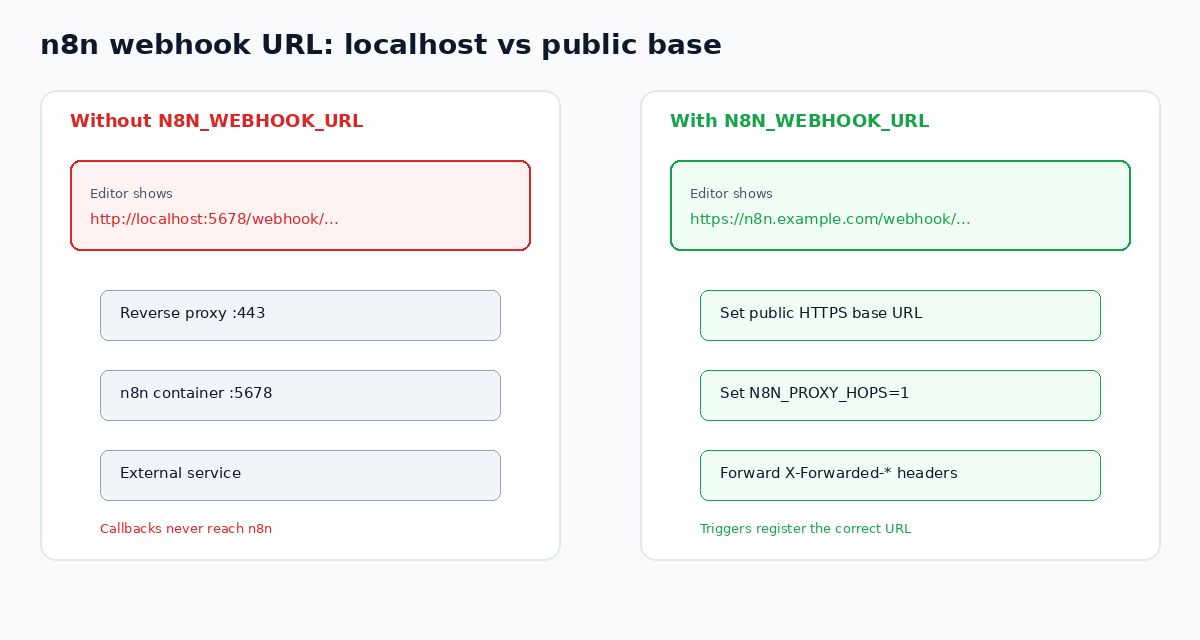
Self-hosted n8n often shows webhook URLs as http://localhost:5678/... even when you open the editor through a public domain. External services then register the wrong callback. Telegram, WhatsApp, Stripe, and custom callers never reach your workflow.
The fix is not a node toggle. You set the public webhook base with an environment variable, tell n8n how many proxy hops sit in front, and restart so the editor and registrations reload.
You need n8n Cloud or a self-hosted n8n instance to run these workflows. That n8n link is a sponsored affiliate link. This guide focuses on self-hosted reverse proxy setups.
What builds the webhook URL by default
Official n8n docs explain that n8n creates webhook URLs by combining N8N_PROTOCOL, N8N_HOST, and N8N_PORT. Inside Docker that usually means something like http://localhost:5678. Your reverse proxy may terminate TLS on port 443 and forward to 5678. The proxy can work for the editor while webhook strings stay wrong.
Path-only variables such as N8N_ENDPOINT_WEBHOOK change the path segment. They do not replace the host. For a public base URL, use N8N_WEBHOOK_URL.
Prefer N8N_WEBHOOK_URL over WEBHOOK_URL
Older guides and compose files still say WEBHOOK_URL. From n8n 2.35.0, that name is a deprecated alias of N8N_WEBHOOK_URL. It still works, and n8n logs a deprecation warning on startup.
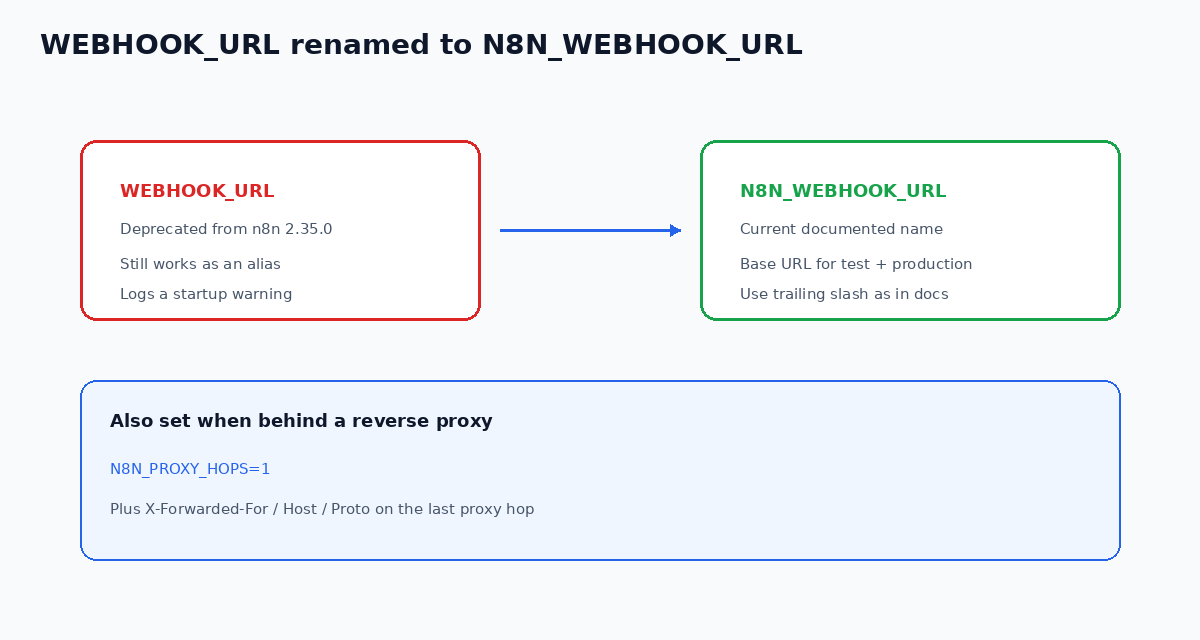
Use the current name in new configs:
export N8N_WEBHOOK_URL=https://n8n.example.com/
export N8N_PROXY_HOPS=1
The endpoints environment variables page documents both names. The reverse proxy webhook guide shows the public URL example with a trailing slash.
N8N_WEBHOOK_URL sets the base for both test and production webhooks. After you change it, restart n8n. Re-check a Webhook node. The displayed URL should start with your public HTTPS origin. If you want a quick endpoint to test against, n8nChat can add a Webhook and Respond to Webhook pair to an open workflow from one prompt.
Wire the reverse proxy hops and headers
Setting the base URL alone is incomplete when TLS terminates on a proxy.
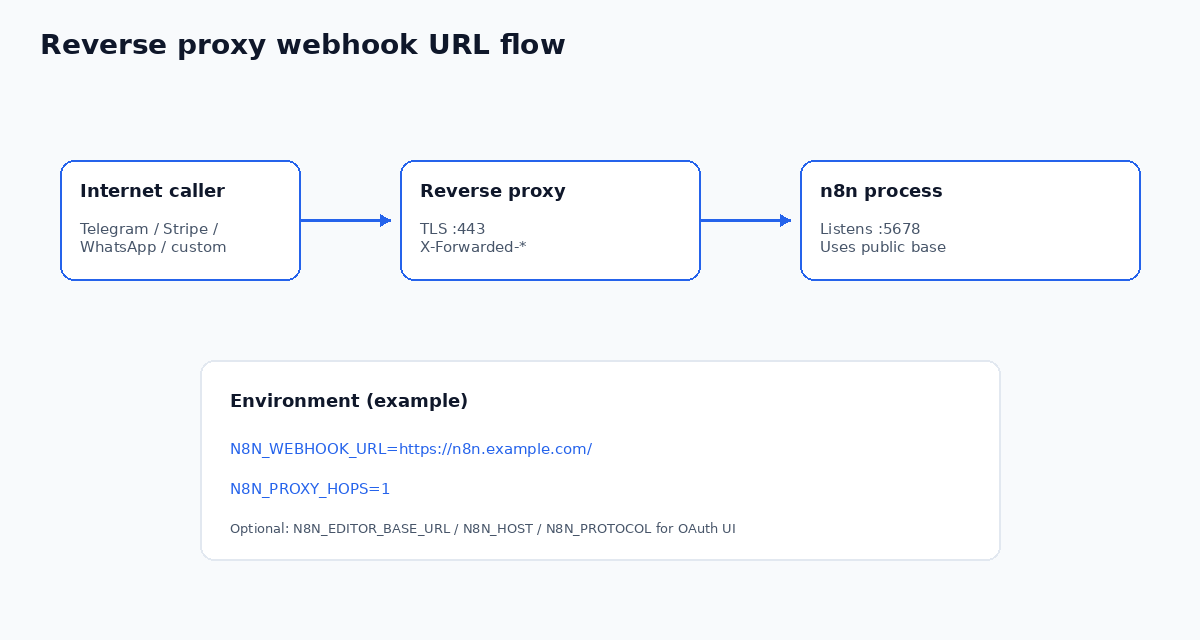
Official reverse proxy guidance asks for three pieces:
- `N8N_WEBHOOK_URL` set to the public origin callers should use.
- `N8N_PROXY_HOPS` set to the number of proxy hops in front of n8n (often
1). - Forwarded headers on the last proxy:
X-Forwarded-For,X-Forwarded-Host, andX-Forwarded-Proto.
Without those headers, some deployments still emit http instead of https, or keep an internal hostname in parts of the UI. WhatsApp and other strict HTTPS validators fail on that mismatch.
If you also expose n8n's instance-level MCP server through the same proxy, forward the MCP request headers too. That is separate from editor and webhook URLs, but the same reverse proxy stack often hosts both.
Docker and compose notes that trip people up
Put the variables on the n8n process that runs the editor and webhook handlers, not only on the proxy container.
- Prefer
N8N_WEBHOOK_URL=https://your-domain/over the deprecatedWEBHOOK_URL. - Keep
N8N_PORT=5678as the internal listen port. The public port belongs to the proxy. - After editing env files, recreate or restart the container so the process actually reads the new values.
- On Windows shells, a bare
set VAR=style assignment can be a no-op for the process you think you launched. Confirm the running environment, not only the shell snippet. - Power users sometimes set
N8N_EDITOR_BASE_URL,N8N_HOST, andN8N_PROTOCOLas well. Those help OAuth callback screens that are not driven byN8N_WEBHOOK_URL. The webhook display fix still centers onN8N_WEBHOOK_URL.
Community threads keep repeating the same symptom: Telegram or WhatsApp Trigger shows localhost, Meta validation fails, or a production URL looks right in one place and wrong in another. If Telegram is your case, the Telegram Trigger troubleshooting guide also covers getWebhookInfo and test-mode conflicts. The durable answer is the public base URL plus proxy hops, then a restart and a fresh activation.
Checklist when the editor still shows localhost
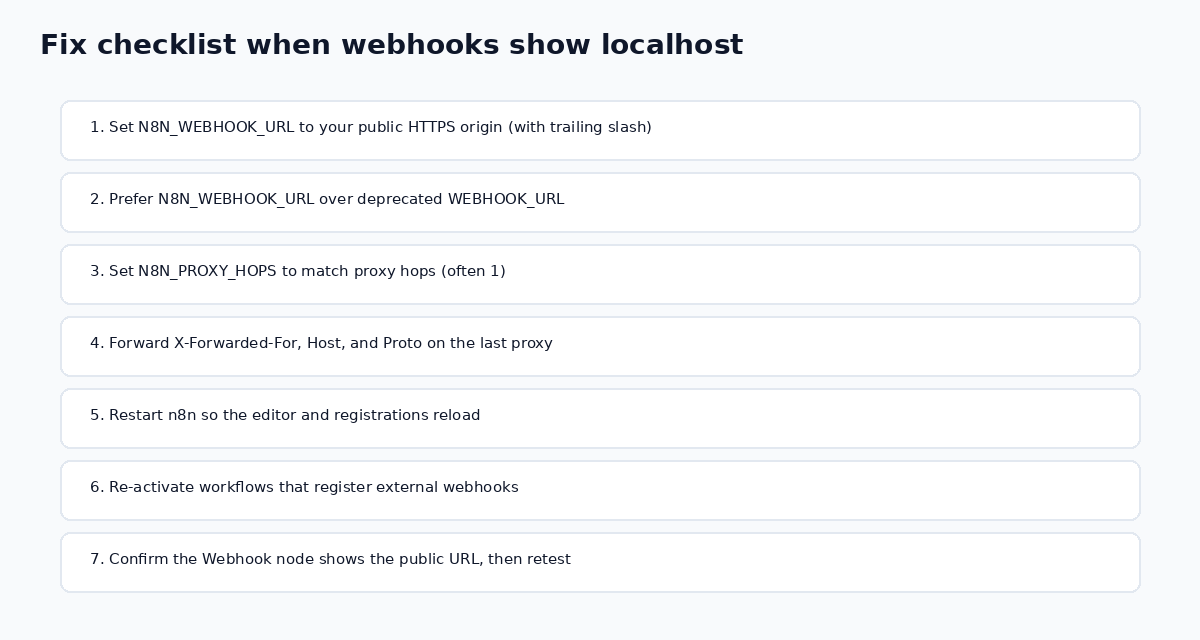
Work through these in order:
- Set
N8N_WEBHOOK_URLto your public HTTPS origin, including the trailing slash form from the docs example. - Replace deprecated
WEBHOOK_URLin compose and systemd units when you next edit them. - Set
N8N_PROXY_HOPSto match your proxy chain. - Confirm the last proxy forwards
X-Forwarded-For,X-Forwarded-Host, andX-Forwarded-Proto. - Restart n8n and reopen the workflow editor.
- Re-activate workflows that register webhooks with outside platforms, because an old localhost registration can linger on their side.
- Call the production URL after publish. Test URLs listen for a short window and are easy to confuse with a permanent callback.
If callers time out after the URL is correct, that is a different problem. See why n8n webhook callers time out and when to use Respond to Webhook.
If you pause for an approval callback, remember that Wait resume URLs are unique per execution. The Wait node webhook resume guide covers $execution.resumeUrl and a static callback router when a vendor demands one fixed URL.
Related failures that are not the base URL
OAuth redirect mismatch. Credential OAuth screens often follow editor or host settings, not only N8N_WEBHOOK_URL. Align N8N_HOST, N8N_PROTOCOL, and N8N_EDITOR_BASE_URL with the same public domain when Google or Slack reject the redirect URI.
host_not_allowed / 403 on the webhook. That is usually host allowlisting or auth, not a missing base URL. Fix credentials and allowed hosts after the public URL is correct.
Queue mode workers. Main, worker, and webhook processor processes must share encryption and deployment settings. A webhook processor that never saw N8N_WEBHOOK_URL can disagree with the editor. Keep env consistent across those roles.
AI Agent tool paths that stay green. An Error Workflow does not fire when a tool fails inside a green AI Agent node. Use the Error Workflow guide for AI Agent tool failures when the webhook already reaches n8n but downstream tools fail quietly.
Scaffold and fix the graph on the official canvas
n8nChat is not a replacement for n8n.io. It is a browser extension that turns a prompt into a graph on the official n8n canvas. With an open workflow as context, you can ask what is wrong or tell it to fix the graph. Bring your own OpenAI or Gemini key.
For example:
> My Webhook node still shows http://localhost:5678 behind nginx. Outline the env vars I need: N8N_WEBHOOK_URL, N8N_PROXY_HOPS, and the X-Forwarded headers, then add a Webhook plus Respond to Webhook path I can test after restart.
> Migrate this compose file from WEBHOOK_URL to N8N_WEBHOOK_URL, keep the trailing slash, and add N8N_PROXY_HOPS=1 for a single reverse proxy.
Review every node, add your credentials, and test the production URL after publish. Learn more on the homepage, workflow builder, Chrome extension page, and changelog. Install from the Chrome Web Store or Firefox Add-ons.
Frequently asked questions
What does N8N_WEBHOOK_URL do in n8n?
It sets the public base URL for both test and production webhooks. n8n uses that base in the editor UI and when it registers webhook URLs with external services. It does not change the path-only N8N_ENDPOINT_WEBHOOK variables.
Is WEBHOOK_URL still valid?
WEBHOOK_URL still works as an alias of N8N_WEBHOOK_URL, but it is deprecated from n8n 2.35.0. n8n logs a deprecation warning on startup. New configs should use N8N_WEBHOOK_URL.
Why does my Webhook node still show localhost:5678?
Behind a reverse proxy, n8n builds URLs from N8N_PROTOCOL, N8N_HOST, and N8N_PORT unless you override the base with N8N_WEBHOOK_URL. Set the public HTTPS origin, set N8N_PROXY_HOPS, restart n8n, then reopen the workflow.
Do I need N8N_PROXY_HOPS with N8N_WEBHOOK_URL?
Yes when a reverse proxy sits in front of n8n. Official docs tell you to set N8N_PROXY_HOPS (often to 1) and to forward X-Forwarded-For, X-Forwarded-Host, and X-Forwarded-Proto on the last proxy hop.
Does N8N_WEBHOOK_URL fix Wait node resume URLs?
It sets the public base those runtime resume URLs start from. Each Wait resume URL is still unique per execution. See the Wait node guide for the runtime resumeUrl flow and static callback router pattern.
Should the value include a trailing slash?
Use the form shown in the official reverse proxy example, including the trailing slash, for example https://n8n.example.com/. After changing the variable, restart n8n and confirm the Webhook node display.
Does this apply to n8n Cloud?
n8n Cloud already exposes public webhook URLs. N8N_WEBHOOK_URL is a self-hosted configuration for Docker, npm, and reverse proxy deployments where the internal listen address differs from the public domain.
Build workflows with the n8nChat Chrome extension. Also see n8n AI and the n8n workflow builder.