n8n Wait Node: Webhook Resume URLs Without Surprises
<!-- Images live in the sibling folder n8n-wait-node-webhook-resume-url/: hero.png, runtime-resume-url.png, static-callback-router.png, safe-wait-checklist.png. Body refs are filename-only. -->
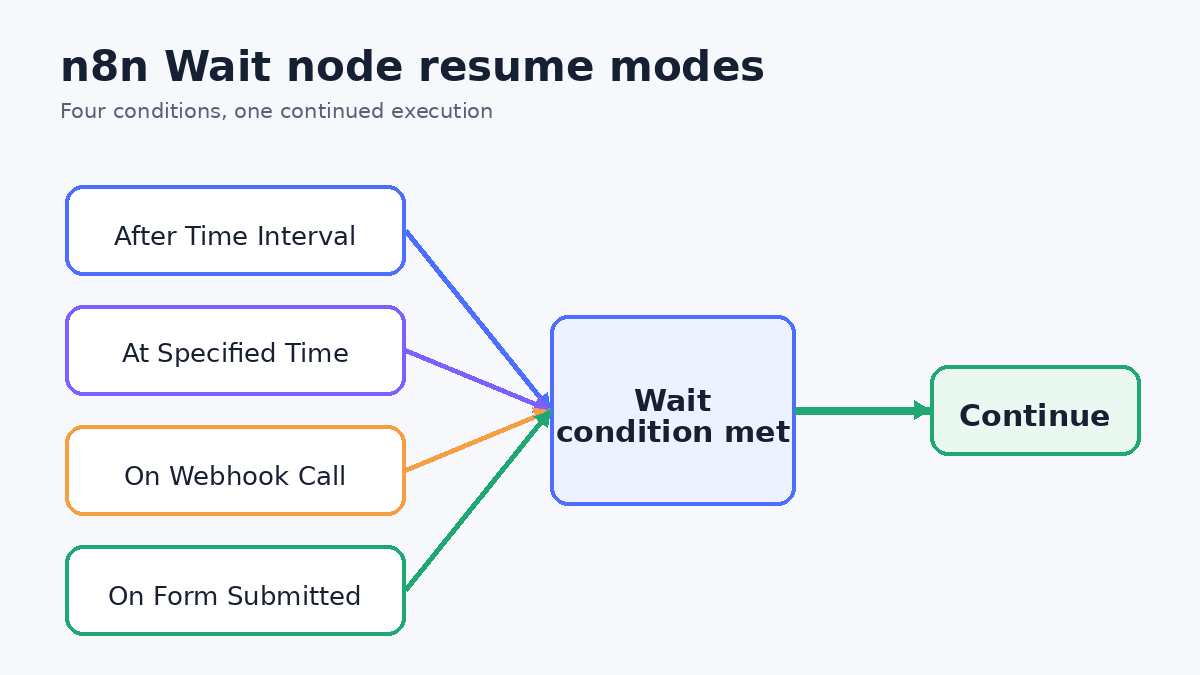
The n8n Wait node pauses an execution, then continues when time passes, a date arrives, a webhook is called, or a form is submitted. The confusing case is the webhook. Its resume URL is not a permanent endpoint. n8n generates a unique URL for the current execution.
That design lets each callback resume the right run. It also means a copied URL, a partial test, or a third-party service that demands one static callback can break the flow. This guide shows the four modes, the correct runtime URL pattern, and a permanent Webhook router when a fixed public URL is required.
You need <a href="https://n8n.partnerlinks.io/n8nchat" rel="sponsored">n8n Cloud or a self-hosted n8n instance</a> to run these workflows. That n8n link is a sponsored affiliate link.
Choose one of the four resume modes
The official Wait node documentation lists four modes.
| Resume mode | Best fit | What continues the execution | | --- | --- | --- | | After Time Interval | Retry delays, reminders, short cooldowns | A number of seconds, minutes, hours, or days passes | | At Specified Time | A known deadline or scheduled handoff | The selected date and time arrives | | On Webhook Call | Approval links and asynchronous service callbacks | An HTTP request reaches the execution's runtime URL | | On Form Submitted | Human input collected by an n8n form | The generated form is submitted |
For time-based modes, n8n uses the server time, not the workflow timezone. Check the server clock before relying on a specified date. A wait under 65 seconds stays in the running process. At 65 seconds or longer, n8n offloads the execution data to its database and reloads it when the execution resumes.
Webhook and form modes can also use Limit Wait Time. Set an interval or maximum date so an abandoned approval or callback does not leave the execution waiting forever.
Build the runtime resume URL flow
For On Webhook Call, use $execution.resumeUrl. n8n generates the value when the workflow runs. It is unique to that execution.
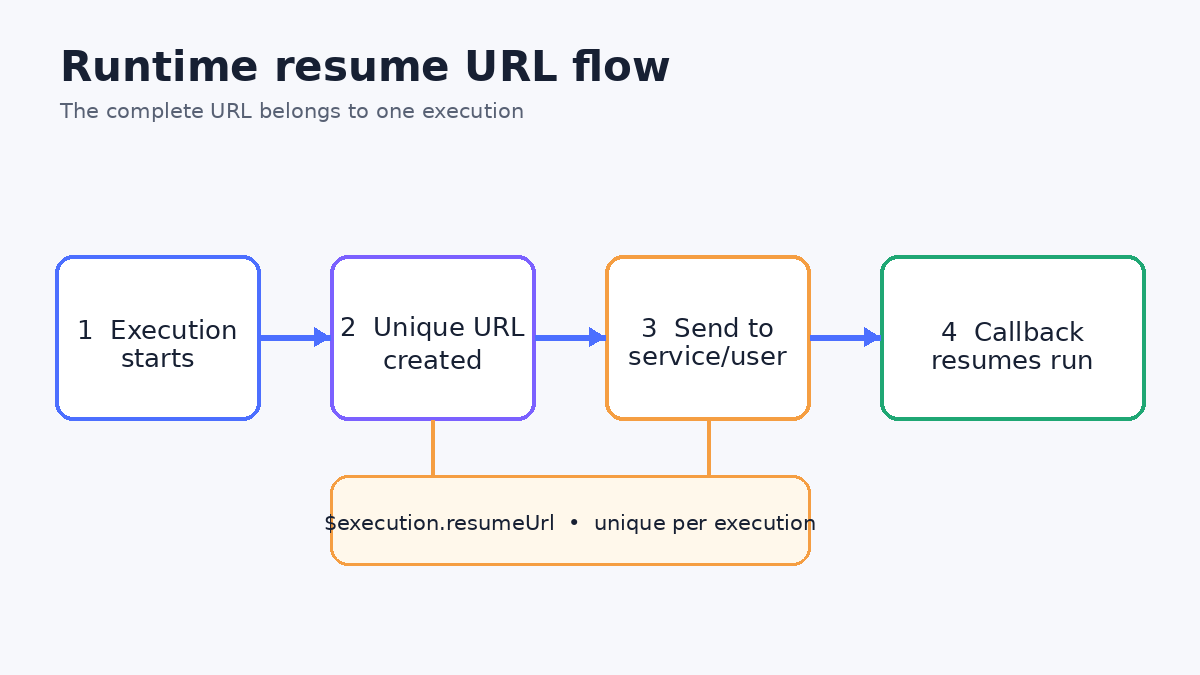
Build it in this order:
- Start the execution. Receive the job and store any external correlation ID you will need later.
- Send the runtime URL. In the node before Wait, put
$execution.resumeUrlin the callback field, approval message, or outbound request. - Enter Wait. Set Resume to On Webhook Call and choose the expected HTTP method.
- Receive the callback. The service or user calls the complete URL that was sent for this run.
- Continue with callback data. Validate the incoming result before a write, payment, or notification.
The node that sends the URL must run in the same execution as the Wait node. Partial executions change the resume URL. A URL copied from an earlier test does not belong to the new run.
A workflow can contain several Wait nodes. Their unique URLs let callbacks resume the waits sequentially. Keep each URL mapped to the correct execution and stage.
Keep the full signed URL intact
The signature in a Wait resume URL is mandatory. Send and call the complete runtime URL. Do not trim the query string, rebuild the URL from an execution ID, or replace its signed portion.
Choose the Wait node's incoming authentication too. Official options are Basic Auth, Header Auth, JWT Auth, and None. Use authentication when the callback service supports it. You can also enable an IP whitelist. Requests from outside that list receive a 403.
Other useful webhook options include Ignore Bots, Raw Body, response code and body controls, and response headers. Ignore Bots helps when an approval link might be opened by a preview crawler. Raw Body matters when you need the original request for your own validation.
A webhook suffix has a caveat. n8n does not automatically add the suffix to the generated resume URL variable. If you configure a suffix, append it before exposing the URL and test the complete result.
Use a permanent Webhook as a static callback router
Some services accept a callback URL once in their dashboard. They cannot receive a fresh $execution.resumeUrl for every job. Do not force the Wait URL to become static. Put a separate, permanent Webhook workflow in front of it.
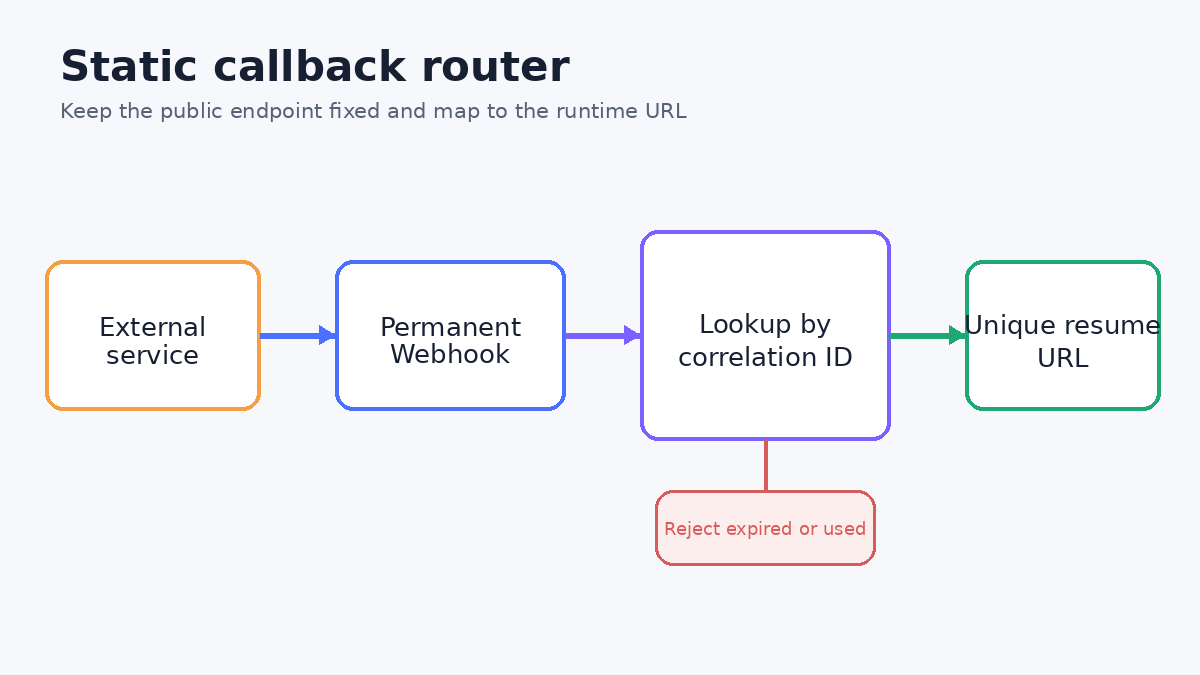
The router pattern is:
- The main workflow creates the unique Wait resume URL.
- Store that URL with a random correlation ID in a database or data store.
- Give the outside service the permanent Webhook URL plus the correlation ID it must return.
- The permanent Webhook receives the callback and verifies the caller.
- Look up the matching runtime resume URL. Reject missing, expired, or already-used records.
- Send the callback to that complete URL, then mark the mapping consumed.
This keeps the public endpoint stable while preserving n8n's per-execution resume contract. Treat stored resume URLs as sensitive. Limit their lifetime and avoid writing full URLs to routine logs.
For a different webhook problem, see why n8n callers time out and when to use Respond to Webhook.
Add a limit and an observable exit
A safe wait needs an end condition and enough context to debug it.
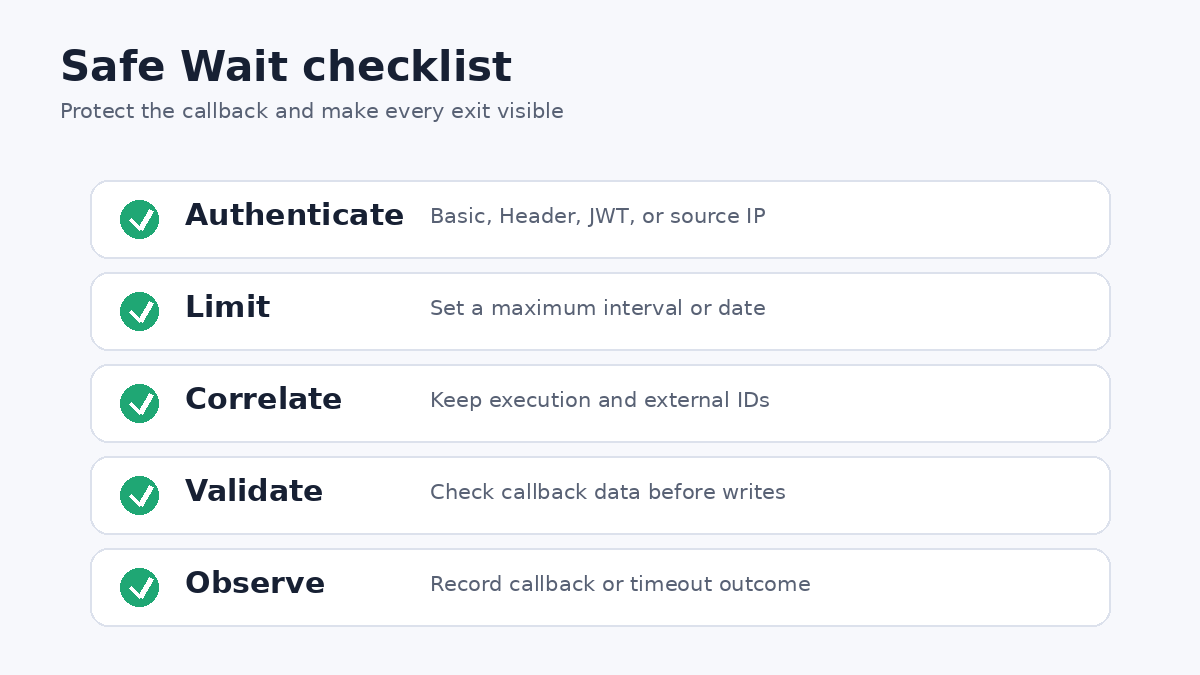
- Turn on Limit Wait Time for callback and form waits.
- Keep an execution ID and external correlation ID with the job record.
- Authenticate the callback or restrict known source IPs when possible.
- Validate callback fields before any destructive action.
- Record whether the run resumed by callback or by its time limit.
- Make downstream writes idempotent in case an outside service retries.
If the resumed path includes an AI Agent, remember that a tool problem may not fail the node. The n8n Error Workflow guide shows how to assert tool results before a destructive step.
Troubleshoot common Wait node failures
The callback returns 404 or does nothing. Confirm the caller used the complete URL from the current execution. Check whether a partial run generated a new URL. Make sure the node that sent the URL ran in that same execution.
A fixed callback works once, then fails. A Wait resume URL is not permanent. Use the separate Webhook router pattern and map a correlation ID to each runtime URL.
The callback is rejected. Check the chosen HTTP method, authentication credentials, IP whitelist, full signed URL, and any manually appended suffix. A 403 points toward authentication or IP restrictions, not a wait timeout.
The workflow never resumes. Verify that the execution is actually waiting, the outside service called the right method, and the stored mapping has not expired. Add Limit Wait Time so the run has a defined exit.
A timed wait fires at the wrong local time. The Wait node uses n8n server time regardless of workflow timezone. Convert the intended time to the server's clock.
Scaffold and fix the graph on the official canvas
n8nChat is not a replacement for n8n.io. It is a browser extension that turns a prompt into a graph on the official n8n canvas. With an open workflow as context, you can ask what is wrong or tell it to fix the graph. Bring your own OpenAI or Gemini key.
For example:
> Add a Wait node that resumes on webhook call. Send $execution.resumeUrl to the approval service in the same execution. Use Header Auth and limit the wait to 24 hours.
> This service requires one static callback. Create a separate Webhook router that looks up the unique resume URL by correlation ID and forwards the callback once.
Review every node, add your credentials, and test the callback contract. Learn more on the homepage, workflow builder, Chrome extension page, and changelog. Install from the Chrome Web Store or Firefox Add-ons.
Frequently asked questions
Is the n8n Wait node webhook URL permanent?
No. The resume URL is generated at runtime and is unique to that execution. Send the complete value from $execution.resumeUrl. Use a separate permanent Webhook and router when an outside service requires one fixed callback URL.
Why did my n8n Wait resume URL change?
Each execution gets its own URL. Partial executions also change the URL, so the node that sends the URL must run in the same execution as the Wait node.
Can one workflow contain several Wait nodes?
Yes. Runtime resume URLs are unique, and webhook calls can resume multiple Wait nodes sequentially. Keep each complete URL associated with the correct execution and step.
How can I stop a Wait node from waiting forever?
Turn on Limit Wait Time. Set either an interval or a specified maximum date and time, then design the post-Wait path to handle that timeout case.
Which authentication methods can protect a Wait webhook?
The Wait node supports Basic Auth, Header Auth, JWT Auth, and None. Choose an authenticated mode when the caller supports it, and consider an IP whitelist as an additional restriction.
Does the workflow timezone control a timed Wait node?
No. Official n8n documentation says time-based Wait operations use the n8n server time, regardless of the workflow timezone setting.
Build workflows with the n8nChat Chrome extension. Also see n8n AI and the n8n workflow builder.