n8n HTTP Request Pagination: $pageCount, Next URL, and When Not to Loop
<!-- Images live in the sibling folder n8n-http-request-pagination/: hero.png, pagecount-mode.png, next-url-mode.png, no-loop-checklist.png. Body refs are filename-only. -->
Most APIs do not return every record in one response. They return a page, then another page, until a stop signal. In n8n that is what the HTTP Request Pagination option is for.
The trap is mixing pagination with a canvas loop. Forum threads keep showing the same failure: people wire Loop Over Items back into an HTTP Request that already has Pagination on, and the run multiplies until memory or the API dies.
This guide covers the built-in modes, $pageCount, next-URL expressions, Complete When, Split Out, and when batching is a separate problem.
You need n8n Cloud or a self-hosted n8n instance to run these workflows. That n8n link is a sponsored affiliate link. This guide focuses on the HTTP Request Pagination option.
What built-in pagination actually does
Official HTTP Request docs and the pagination cookbook describe the behavior clearly once you know where to look.
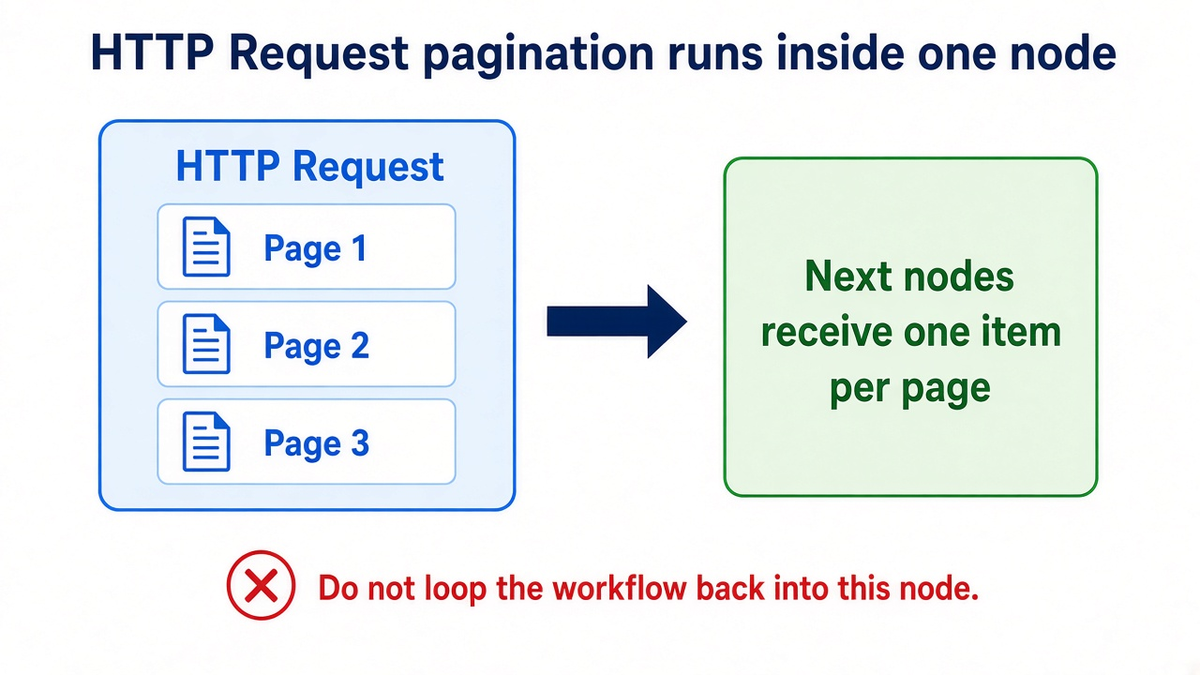
Turn on Add Option → Pagination. In one execution of that node, n8n fetches page after page. Each page becomes an item for the next node. If the API has 10 pages, you get 10 items out of that single HTTP Request run.
You do not need a Wait node between those pages for the built-in feature to advance. You do need a correct Complete When condition so n8n stops.
Mode 1: Update a Parameter with $pageCount
Use this when the API takes a page number, offset, or similar field on each request.
- Set Pagination Mode to Update a Parameter in Each Request.
- Set Type to Query (or Body for POST APIs that paginate in the body).
- Set Name to the API field, often
pageoroffset. - Set Value to an expression such as
{{ $pageCount + 1 }}.
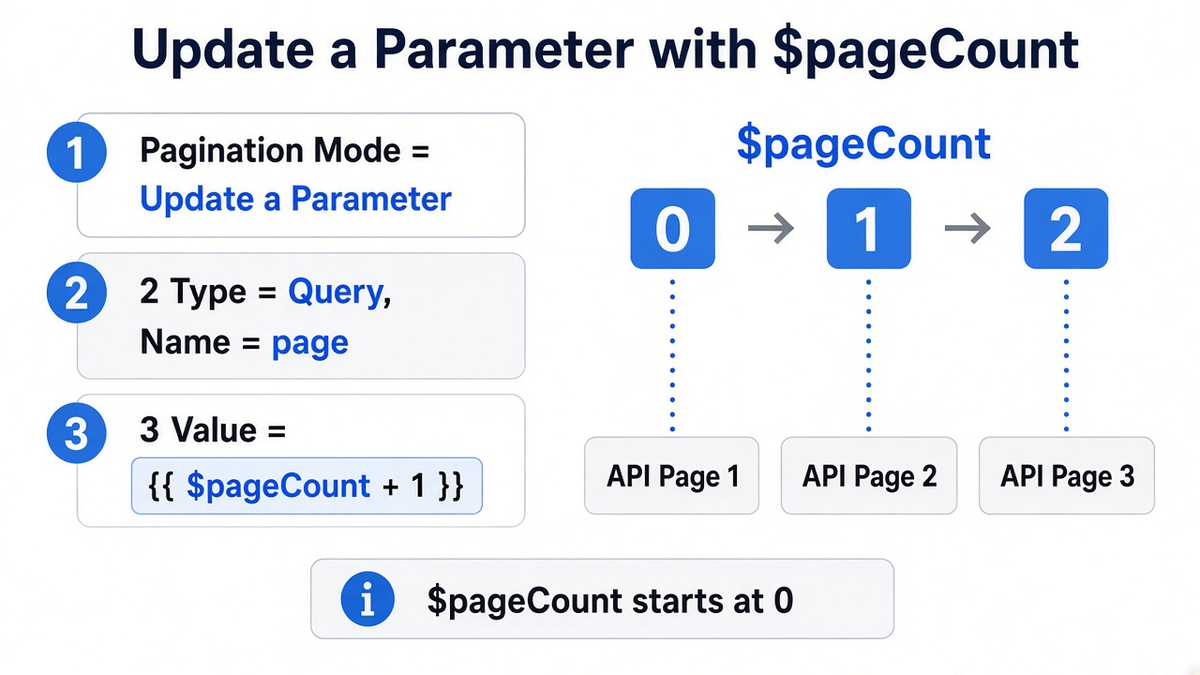
$pageCount is the number of pages already fetched. It starts at 0. Most APIs call the first page 1, so + 1 is the usual fix. For offset APIs with a page size of 100, use something like {{ $pageCount * 100 }} and keep limit in the main query parameters.
Also set a page size in the main query when the API supports it (often limit or per_page). Smaller pages reduce payload size. They also make a bad Complete When fail sooner, which is easier to debug.
Mode 2: Response Contains Next URL
Use this when the response includes the full URL for the next page.
- Set Pagination Mode to Response Contains Next URL.
- Set Next URL to an expression that reads that field, for example
{{ $response.body.next }}or{{ $response.body.d.__next }}. - Set Complete When to Other with an expression that is true when the next URL is gone, for example
{{ !$response.body.next }}.
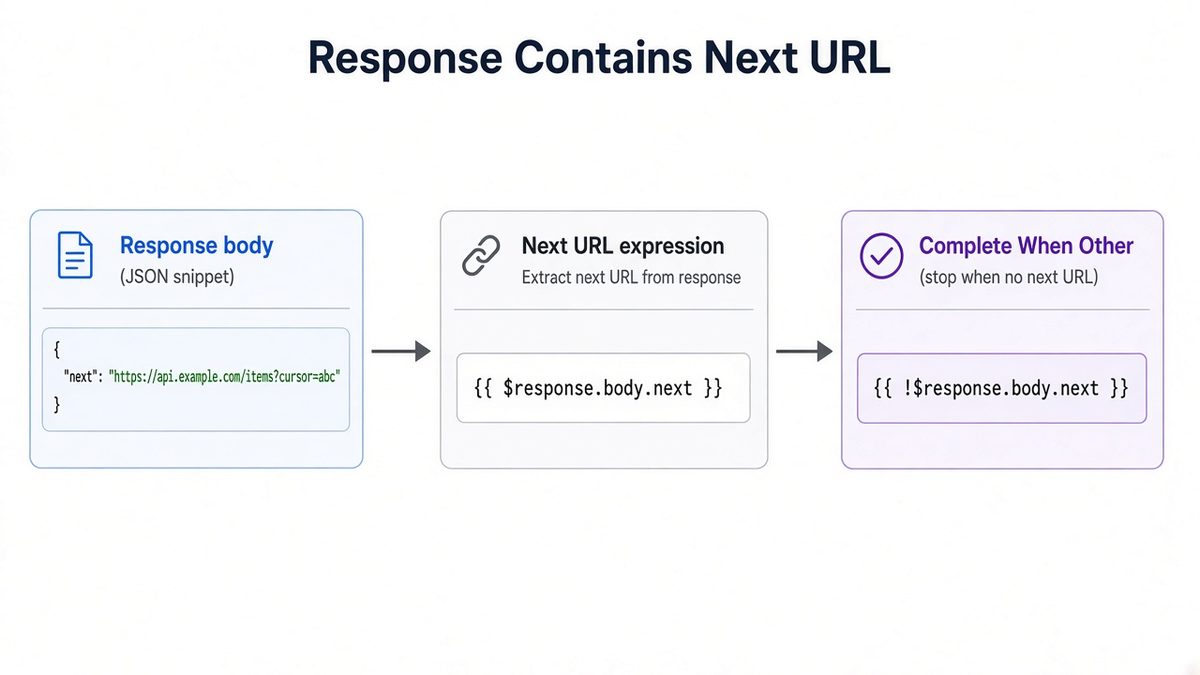
Reddit and community.n8n.io threads often fail here because the field is nested. Exact Online-style OData responses put __next under d. If $response.body is still a string, parse or fix Response Format so you read an object. Run one request without pagination first, expand the JSON, and copy the path you actually see. Once you have the path, an AI assistant docked in the n8n editor can write the Next URL and Complete When expressions into the open node for you.
Complete When: match the API, not the default
The default Response Is Empty only works when the last call returns an empty body. Many APIs return a wrapper object with an empty data array, or they keep returning HTTP 200 with metadata and no items.
Use Other and write the stop condition from the API docs. Examples people use in the community:
{{ $response.body.data.length === 0 }}{{ $response.body.meta.current_page >= $response.body.meta.last_page }}{{ !$response.body.next }}
Test with a tiny limit first so you hit the last page quickly.
After pages arrive: Split Out
Pagination emits pages, not necessarily individual records. If each page looks like { "data": [ ...rows ] }, add a Split Out node on data (or whatever the array field is named). Downstream nodes then see one row per item.
If you skip Split Out, a Google Sheet or database node may write one giant cell, or an AI Agent may see a blob instead of rows.
Do not loop a paginating HTTP Request
Community posts titled around "looping through pagination" show the dangerous pattern: route the done branch of Loop Over Items back into the same HTTP Request that already has Pagination enabled. Each re-entry fetches the full page set again for every inbound item. Item counts grow geometrically.
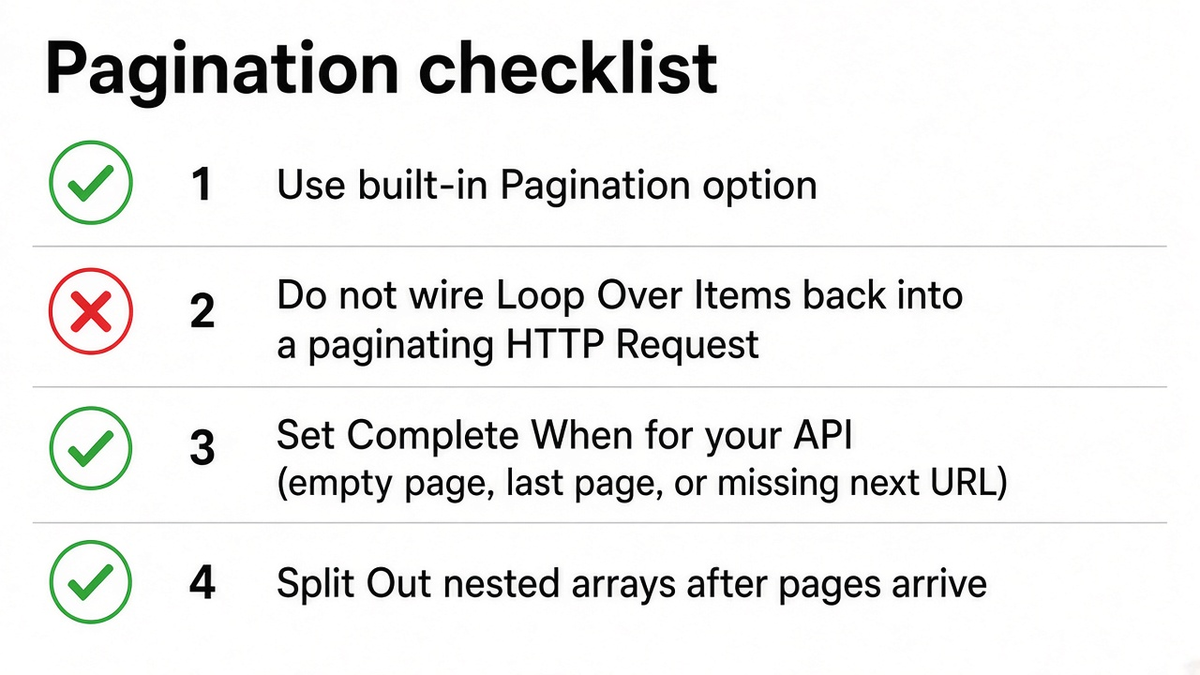
Rules that keep you safe:
- Prefer built-in Pagination for list endpoints.
- Do not wire a canvas loop back into that HTTP Request while Pagination is on.
- Set Complete When from real response fields.
- Split Out nested arrays before row-level work.
If you truly need a manual loop (odd cursor rules, per-page side effects), leave Pagination Off and keep page or offset on the items flowing through the loop. Do not mix both patterns on the same node.
Pagination vs batching vs 429
Pagination walks pages of one collection. Batching (HTTP Request Options → Batching) spaces requests when many incoming items each need their own call. Items in a batch can run in parallel, so Items per Batch of 10 is ten concurrent requests, not ten spaced singles. For strict APIs, use batch size 1 and a Batch Interval in milliseconds.
A 429 means the remote API rate-limited you. Spacing with batching helps. Built-in Retry On Fail uses a fixed wait and does not read Retry-After. For header-aware backoff, treat 429 as data (Never Error), branch on status, Wait, then retry with a cap. That is a separate guide from page walking.
For huge result sets that still OOM after correct pagination, use smaller pages, drop unused fields, and the Loop Over Items out-of-memory sub-workflow pattern for heavy transforms.
Related webhook timing
If a Webhook starts a job that then paginates a large API, answer the caller first. Holding the HTTP response open while you pull dozens of pages hits gateway limits. See Respond to Webhook timeouts and, on self-hosted, N8N_WEBHOOK_URL.
Scaffold and fix the graph on the official canvas
n8nChat is not a replacement for n8n.io. It is a browser extension that turns a prompt into a graph on the official n8n canvas. With an open workflow as context, you can ask what is wrong or tell it to fix the graph. Bring your own OpenAI or Gemini key.
For example:
> HTTP Request pagination never stops. Add Pagination with $pageCount + 1, set Complete When when the data array is empty, then Split Out data before writing rows.
> This HTTP Request has Pagination on and Loop Over Items wired back into it. Remove the loop, keep built-in pagination, and stop when the next URL is missing.
Review every node, add your credentials, and test the production URL after publish. Learn more on the homepage, workflow builder, Chrome extension page, and changelog. Install from the Chrome Web Store or Firefox Add-ons.
Frequently asked questions
Does the HTTP Request Pagination option need a Loop Over Items node?
No. Built-in pagination fetches every page inside a single HTTP Request execution. Wiring Loop Over Items back into that same node multiplies calls and can explode item counts.
Why does $pageCount start at 0?
n8n counts how many pages it has already fetched, starting at zero. Most APIs number the first page as 1, so set the page parameter to {{ $pageCount + 1 }}.
What should I put in Pagination Complete When?
Match your API. Common patterns are an empty data array, current_page greater than or equal to last_page, or a missing next URL. Response Is Empty only works when the API returns a truly empty body.
Why is my Next URL expression undefined?
The path must match the real JSON. Nested OData fields like d.__next need {{ $response.body.d.__next }}, not a top-level next. Run one call without pagination first and copy the exact path.
How do I flatten items after pagination?
Each page is one item from the HTTP Request node. Use Split Out on the array field inside each page (for example data or results) so later nodes see one record per item.
Is Pagination the same as Batching on the HTTP Request node?
No. Pagination walks pages of one list endpoint. Batching spaces out many incoming items so you do not hit rate limits. You often need both on heavy workflows.
What if I need to process each page without holding the full list in memory?
Built-in pagination collects pages in that node run. For huge sets, prefer smaller page sizes, return thin fields, or process in a sub-workflow pattern like the Loop Over Items out-of-memory guide.
Build workflows with the n8nChat Chrome extension. Also see n8n AI and the n8n workflow builder.